

Welcome to The Curbsiders step by step guide on how to create a medical podcast. @doctorwatto and @paulnwilliamz walk you through how to conceptualize your podcast, build your team, choose your equipment and the basics of how to setup hardware and software recording. Be sure to browse the accompanying show notes for a true step-by-step guide complete with links to videos, web pages, and blog posts that we found helpful when starting our show. If it’s not in this document, then it can easily be found on YouTube, or via a Google search.
Credits
Written and produced by: Matthew Watto MD
Cover art and Infographic by Matthew Watto MD
Hosts: Matthew Watto MD and Paul Williams MD
Editor: Clair Morgan of Nodderly.com
Time Stamps
- 00:00 Announcement, Intro, Disclaimer
- 02:53 Our top podcasting pearls
- 07:01 Find your niche
- 09:46 Logistics
- 13:25 Business, finances and legal matters
- 14:40 Equipment
- 21:48 Recording and editing
- 24:56 Website, web and media hosting
- 28:53 How to setup and record your podcast
- 35:08 Editing software
- 35:58 Search engine optimization
- 37:45 Post-processing
- 39:49 Take home points and outro
Random pearls on how to create a medical podcast
- Clear audio is KEY! Minimize echo, background noise and ensure everyone has at least a USB headset/mic like this one Sennheiser headset $35.
- Record at least 3 practice episodes and get feedback. Record with your friends or family first because they’ll forgive you when things go wrong. Technical failures are a waste of your guest’s time and can ruin your rep.
- Be an autodidact. There are YouTube videos, blog posts, and even podcasts addressing every podcasting question we’ve ever had.
- Limit yourself to one standard drink (e.g. 12 oz beer, 5 oz wine) before a recording. Two drinks is risky. Three is a disaster.
- Make professional show notes with learning objectives, summary of key points, conflicts of interest, visual aids, and links from the show.
- Don’t forget to PRESS RECORD and DOUBLE RECORD everything! Equipment and software fails sometimes!

NOTE: This post contains affiliate links. The Curbsiders participates in the Amazon Services LLC Associates Program, an affiliate advertising program designed to provide a means for sites to earn advertising commissions by linking to Amazon. Simply put, if you click on our Amazon.com links and buy something we earn a (very) small commission, yet you don’t pay any extra.
How to Create a Medical Podast Step-by-Step Guide
Part 1: Channel your school age creativity
Step one:
- Commit. Ask yourself: Do I have the time, desire, and drive to commit to at least 7 episodes?
- Choosing a theme. Start with why. What can you uniquely, and passionately deliver that will add value to the already existing resources for medical education?
- Choose an avatar. Who is your ideal listener? Be specific. Your content will spread well beyond this “ideal” listener if it’s good.
- Choose a name. Pick a name that’s intriguing, and true to your show’s content.
- Pick a subtitle. This should be a short phrase with keywords, and phrases that further highlight your show’s mission and help boost search results.
- Write a summary. Short paragraph on what your audience will gain from listening.
E.g. “Supercharge your learning and enhance your practice with this Internal Medicine Podcast featuring board certified Internists as they interview the experts to bring you clinical pearls, practice changing knowledge and bad puns. Doctors Matthew Watto, Stuart Brigham, Paul Williams and friends (a national network of students, residents and clinician educators) deliver a little knowledge food for your brain hole. Yummy! No boring lectures here, just high value content and a healthy dose of humor. Fantastic for Internal Medicine, Family Medicine, Primary Care, and Hospital Medicine.”
- Create a logo. Create a logo that is easy to read in small or large size. You can: DIY, leverage your network, or use an online site (e.g. 99designs.com) to purchase one. Thumbnails are 150×150 pixels and large size is 3000×3000 pixels on Apple Podcasts. I recommend making your own logo as a .svg vector graphic (I’ve used Adobe Illustrator = $$$ and Inkscape = FREE) since this can be changed to any resolution or file format without degrading the quality. A .png or .jpeg file will become pixelated if changing size. High quality PDF files (300 dpi “dots per inch”) or .png files can easily be created on Canva.com (see screenshot below), which is a fantastic software that we use to make infographics and cover art for every show. It is FREE for basic features.
- Here is a link to the Apple Podcasts requirements (see section “Artwork Requirements”)
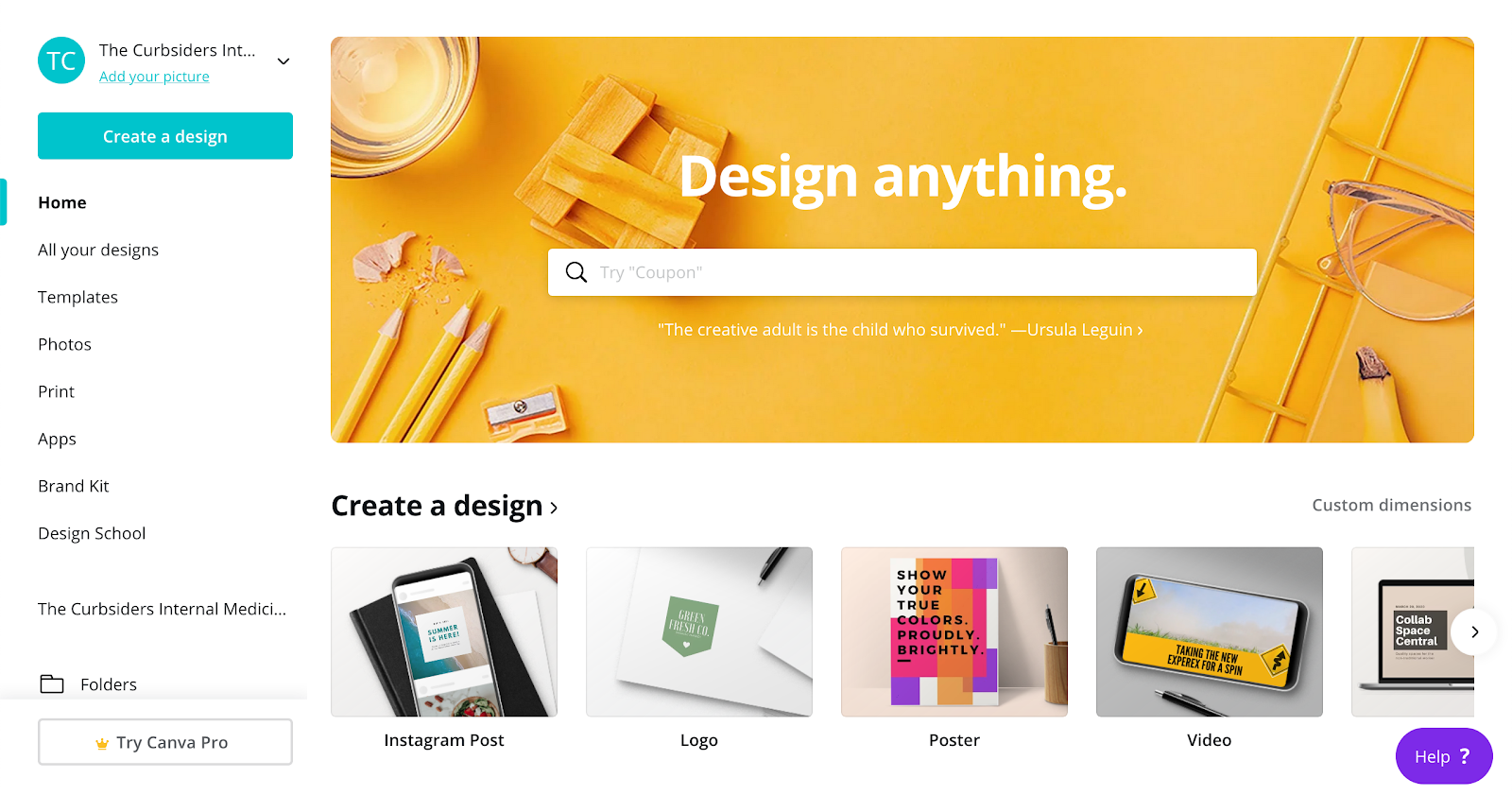
The screenshot above is an example of Canva.com’s homepage where you can choose templates and create images using their stock photos and cartoon images.
Part 2a: Logistical considerations for your medical podcast
Time commitment.
It takes 10-20 hours per episode between booking guests, topic research, recording, editing, show notes, fact checking and posting. Disclaimer: We are crazy and hold ourselves to very high standards so you might be more efficient.
Kashlak Pearl: You can hire an audio editor for $5-25 per 15 minutes of audio. Websites like Fiverr.com or Taskrabbit.com are potential places to look.
Pick a team.

Search within and leverage your network. Who is creative, fun, funny, knowledgeable, hardworking, tech savvy, and embodies the values that you want represented by your show.
Kashlak Pearl: We have a volunteer team of medical trainees and other healthcare professionals (see image above) who devote time to the show on a volunteer basis. You can do this too!
Assign duties.
Who will do the writing, editing, website maintenance, marketing, and technical duties. Leverage your network. Assess people’s time commitments and availability.
Choose a recording time, frequency.
We record weeknights after 8:00 pm ET because most people are free at this hour. Always account for TIME ZONE when booking guests! We record 1-2 times weekly since we release 1-2 shows every week.
Kashlak Pearl: We recommend recording a batch of shows initially (3-4 episodes) to “have a few in the can” and give yourself a buffer in case of cancelations.
Part 2b: Business, Finances and Legalese
Create a company
You can create an LLC or S-corp if your show is for-profit or go the non-profit route (see legalese below). A podcast is like a small business. It has expenses and the ability to generate revenue and often employs a small production team. It is very wise to figure out shares and ownership BEFORE you make it, that way the stakes are low and negotiation is much more straight forward. Podcasts are supposed to be a fun hobby and things get messy once there’s money involved.
The paperwork for filing an LLC is relatively easy and costs ~$125 to $250 for the application process. You can ask an attorney or accountant with business experience to help if you prefer. There are also 3rd party sites like LegalZoom that will help.
Kashlak Pearl: The initial equipment purchase (usually $500 or so), domain purchase and subscription to a web hosting platform and media hosting platform is relatively cheap ($500-1000 per year in total expenses). We usually have another $1,000-3,000 per year in accountant and attorney fees.
Accounting

I recommend speaking to an accountant before deciding to make an S-corp, LLC or non-profit. Ask family and friends to recommend someone. Choosing between these is outside the scope of this workshop.
You can initially keep track of your expenses in a spreadsheet, but eventually you might want to purchase a software like QuickBooks or FreshBooks.
Legalese
Most academic institutions claim intellectual property (IP) rights to anything that you create while working there. You need to find out the IP rules at your institution from the in-house counsel. I recommend having an attorney draw up contracts (usually about $1500) when setting up your company that ensure you retain IP rights to your podcast. This will allow you to take the podcast with you if you leave your current institution. There are many horror stories about people who didn’t take these precautions and lost their shows.
Part 3: Equipment* for your medical podcast
*The Curbsiders participates in the Amazon Services LLC Associates Program, an affiliate advertising program designed to provide a means for sites to earn advertising commissions by linking to Amazon. Simply put, if you click on our Amazon.com links and buy something we earn a (very) small commission, yet you don’t pay any extra.
Microphones, cables, stands.
There are a million options. I recommend one of these two mics when starting.
Choose a Mic.
- Audio-Technica ATR2100x-USB Cardioid Dynamic Microphone (ATR Series) $99. RECOMMENDED because this plugs directly into your computer’s USB port, but can also accept an XLR cable!
- Audio-Technica AT2005USB Cardioid Dynamic USB/XLR Microphone $79. This mic also plugs directly into your computer’s USB port, but also accepts an XLR cable. The sound quality difference won’t differ much from the $99 version.


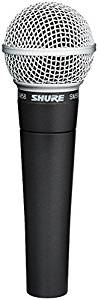
- Shure SM58 Vocal Microphone ($99). This a great mic and an industry standard for stage perform, BUT it requires an audio interface (like #5 or #6 below) before connection to your computer. NOTE: As a beginner, I’d start with a USB version.
- XLR cable ($10-15 each) IMPORTANT! Buy a high quality cable, or you’ll get lots of buzzing noises. Shorter cables 3’, 6’ or 10’ should have less risk for feedback.

Kashlak pearl: Keep your mic cord away from laptop power adapters because they cause an electronic whining noise.
Choose a recorder/mixer. Required if using an XLR mic.
- Zoom H4N PRO Digital Multitrack Recorder ($220) OR Zoom H6 ($330). RECOMMENDED: Either a Zoom recorder, or equivalent competitor like Tascam is highly recommended as it allows you to easily conduct in-person interviews and to create an extra backup when recording remotely. Note: You should purchase the ATR mic (above) plus an SD card and the 1/8“ to 1/4“ cable (below) if going with this option.


- You will also need to purchase an SD card for memory. I recommend at least 128GB. PNY 128GB Elite-X Class SDXC Flash Memory Card, Read Speeds up to 100MB/S. Recommended if using a Zoom recorder, which comes with only a 2GB card.

- Connector cable 1/8″ to 1/4″ ($9.99) (see section 5, option 4 for details)

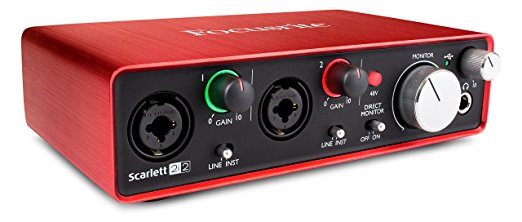
- Scarlett 2i2 (2nd Gen) USB Interface ($150). NOTE: This device (or a competitor) connects to your computer with a USB cable and allows you to record two mics directly into GarageBand or Audacity (see tutorials in section 6 below). We RECOMMEND that you start with a USB mic and a laptop instead of an XLR mic and Scarlett 2i2.
Choose a mic stand and accessories
- RECOMMENDED: Samson MK Boom Microphone Stand (~$20). We recommend this type of stand because it keeps the mic up off the table and makes it less likely to pick up computer fan noise, typing, tapping or turning pages.

- NOT RECOMMENDED: Adjustable Microphone Suspension Boom (~$30). We don’t like this particular stand because some of them generate a loud gong noise if you bump it during recording.

- Microphone clip/holder ($3-8) Note: The clip is different size if you are using an ATR mic versus a Shure SM58 mic

- Additional items:
- BoYata laptop stand ($30-55) (useful if you are standing to record and/or if you are using your webcam during podcasts to keep the laptop at eye level). We’ve had good luck with this particular Boyata stand.
- Dragon Pad Pop Filter ($8) blocks harsh “P” sound (Use of a pop filter is highly RECOMMEND to minimize “plosives” e.g. when saying the letter P)

- Windscreen, Ball type microphone cover ($3) blocks wind or heavy breathing sounds

Headphones
- Sennheiser 202 II Professional Headphones ($50). You will need a pair of headphones to monitor your sound levels and listen for any unwanted extra sounds while recording.

Part 4: Software: Multitrack audio recorder and editors
Kashlak Pearl: Even if you hire an audio editor, we recommend that you develop a comfort with basic editing. This will help you when collaborating with your paid (or volunteer) audio editor. We link to our editing tutorials below.
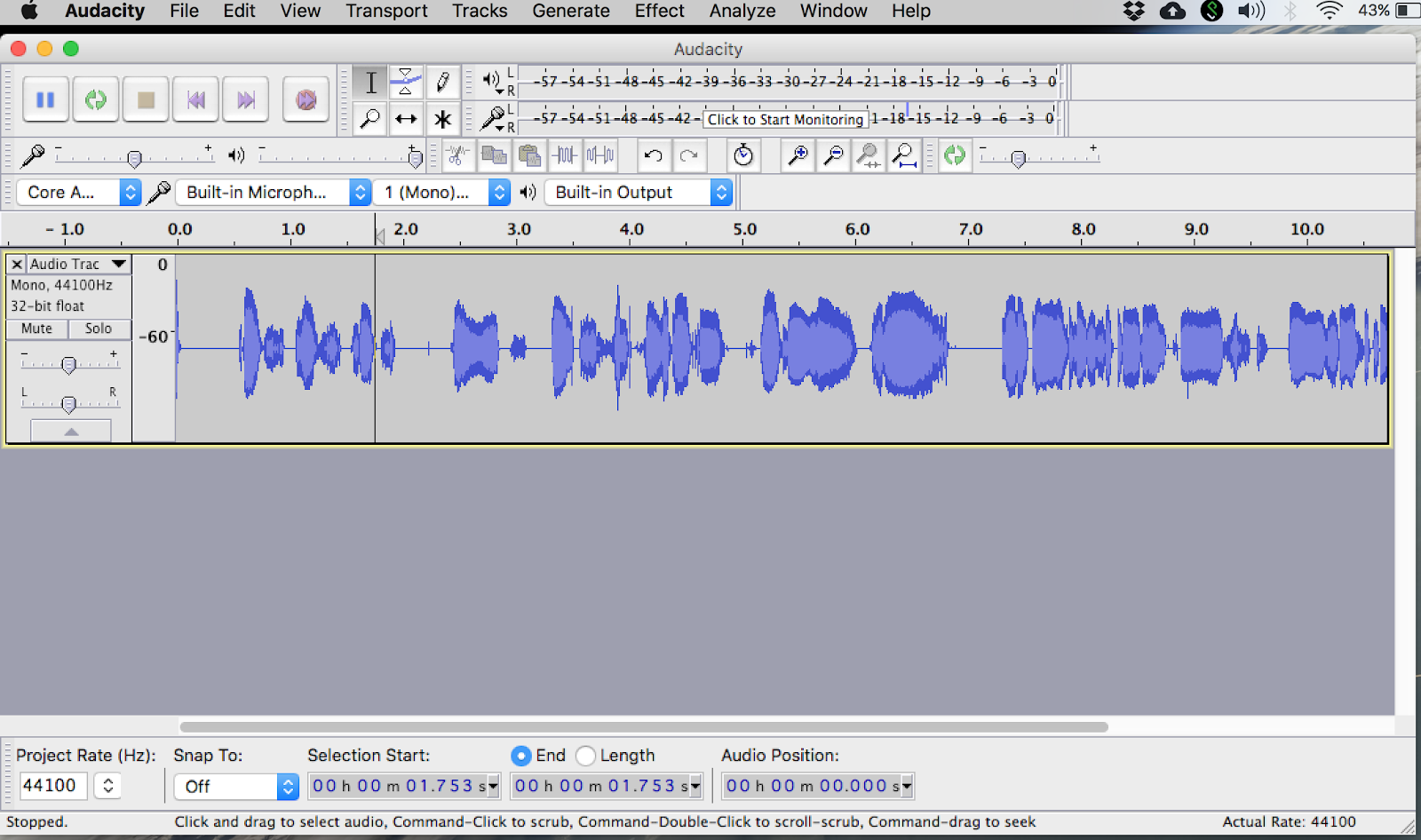
- Audacity for Windows, Mac, Linux (Free). This is a great entry level option and will get the job done. Many people use this for their first several episodes before purchasing a more expensive software like Adobe Audition or Logic Pro X.
- Adobe Audition for Windows, Mac (~$20 per month). This is probably the most popular tool used by professional podcasters based on our experience.

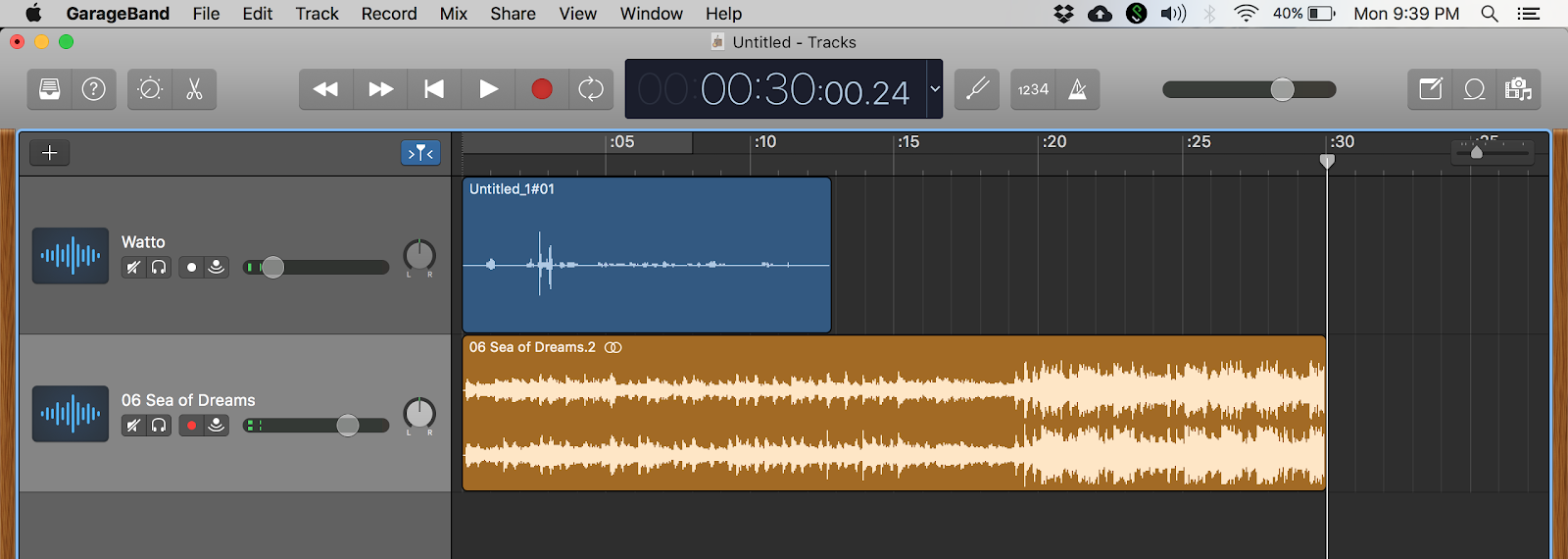
- GarageBand for Mac (Free). This is a great entry level option and will get the job done. We used this to edit our first 12 episodes.
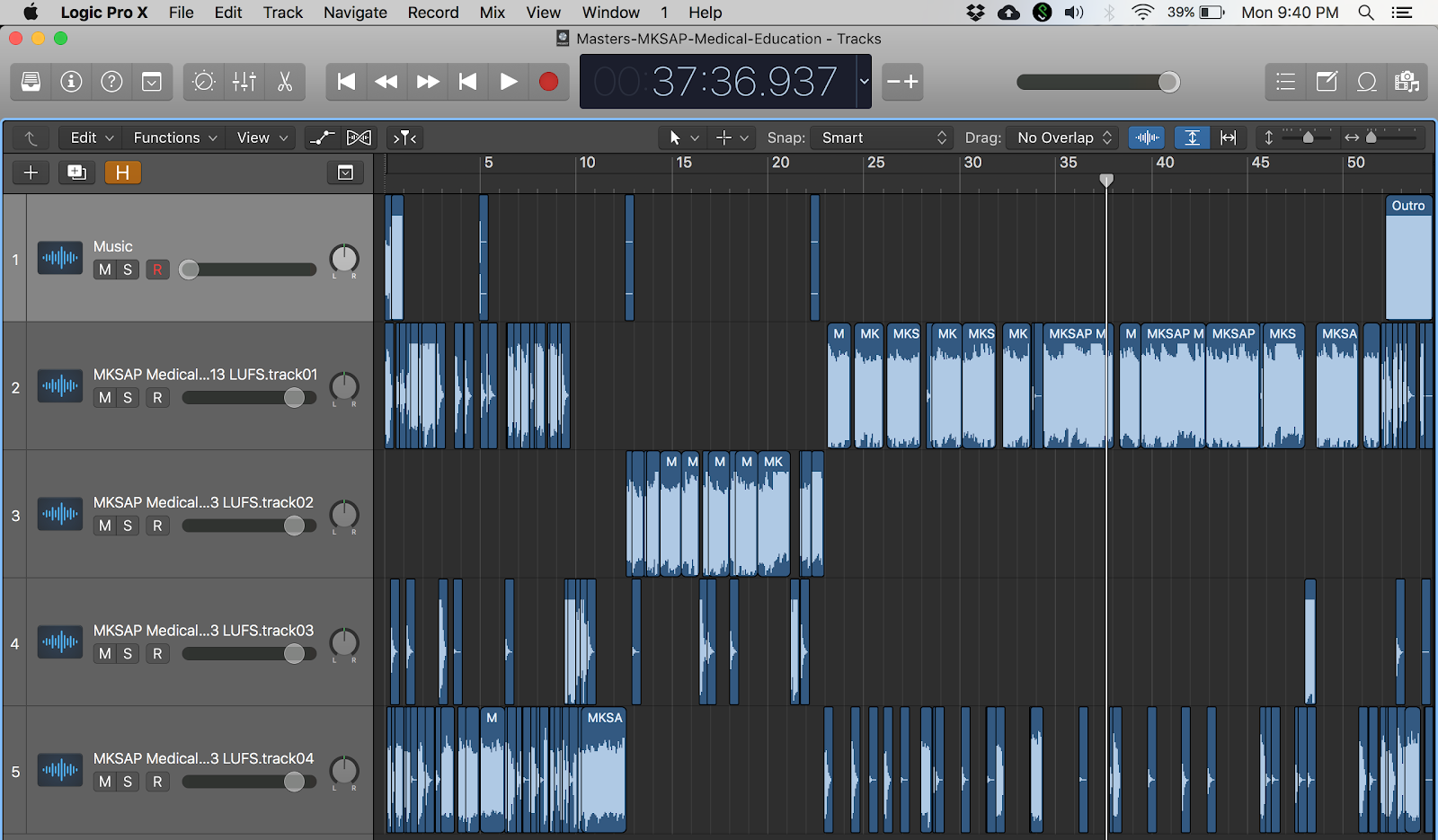
- Logic Pro X for Mac (~$200). Note: We use this software to edit our shows. It has many keyboard shortcuts and allows you to vary the playback speed. These features save time when editing but are not necessary for beginners.
Part 5: Website and Media host for your medical podcast
DOMAIN NAME
- Pick a domain name (e.g. thecurbsiders.com)
- Check for domain name availability on a site like GoDaddy.com (e.g. http://medicalpodcast.com (already taken, so must negotiate price with current owner), http://medicalpodcast.us , or http://medicalpodcast.net ). NOTE: Domain names with a .com are traditionally more desirable and $$$
- Purchase domain name and select option to keep your site owner’s contact info PRIVATE (cost varies from $25-50 per year).
WEB HOST
- Select a web host, which allows you to build a web page for your domain name and choose a plan with enough server space to make sure it doesn’t crash. Examples include: WordPress (FREE), SquareSpace, and WIX.
- ADVANCED option: We use BlueHost web hosting (prices vary from range $3 to $15 per month) and have a website running WordPress, which is more technically challenging to use, but highly customizable, and FREE.
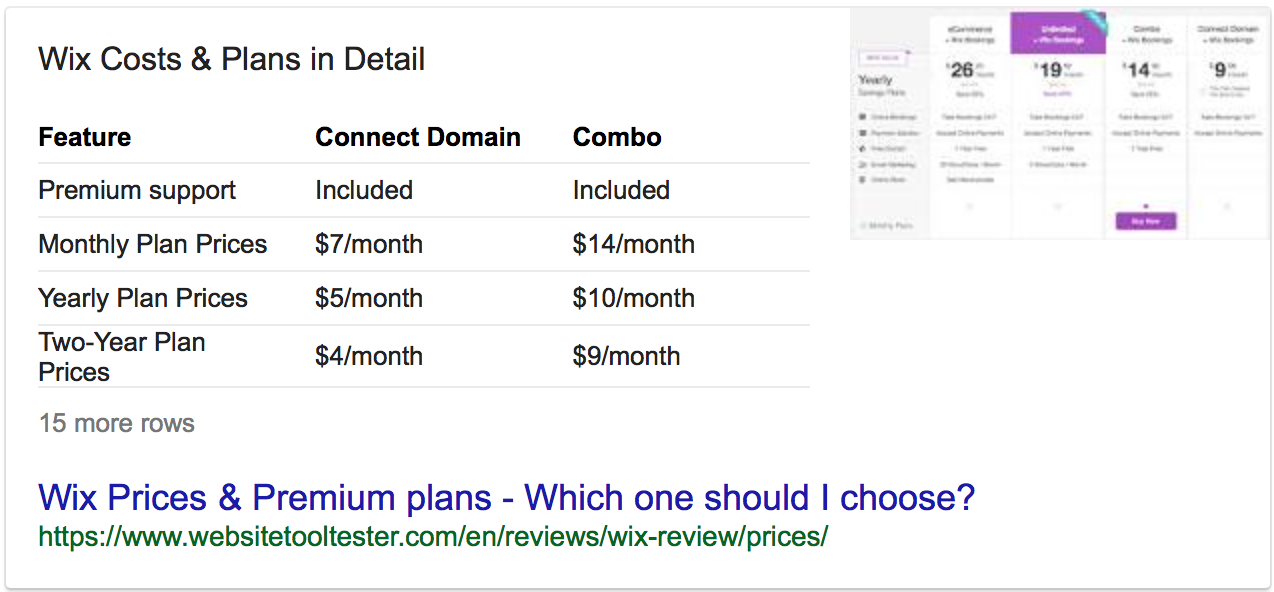
- For BEGINNERS: SquareSpace and WIX are both all in one sites with templated webpages to choose from and tiered pricing (see figures below). This blogpost compares the two services.

- Build a website for your domain name using one of the web hosts listed above.
MEDIA HOST
- Choose a media host like Libsyn ($5 to $20/month), Buzzsprout, Captivate or Transistor.fm (see this post comparing and contrasting options).
- A media host is a web server that allows you to upload audio, or video files once you have recorded and edited your show.
- This host will create an RSS feed for your podcast and automatically send your show to Apple Podcasts, Google Play Podcasts, Spotify, Pandora, Stitcher and more!
- Follow the instructions within your media host to set up your show’s RSS feed.
Kashlak Pearl: Make sure to include a brief description of your show that includes lots of keywords. This helps people find your show in search engines.
NOTE: We still use Libsyn and have been very happy with their customer service, but many new sites have since emerged. Refer to this blogpost by The PODCAST Host for a more nuanced look.
Part 6: Setup for recording your medical podcast
Location / Recording Environment
Make yourself a podcast fort!

- Pick a quiet space (no barking dogs, meowing cats, crying children, humming air conditioners, passing trains)
- Avoid rooms with lots of echo. Choose a place with natural sound dampening like clothing, books, carpet, couches, pillows, etc.
- Hang blankets to cordon off our recording space and dampen sound OR
- Consider purchasing foam rubber pads to absorb echoes from ceiling, floor, corners and walls.
- Setup mic stand on top, or next to a table (boom mic). Cover table with a towel or soft cloth for sound dampening.
- Avoiding table tapping, loud typing, page turning, etc. because this will all be picked up on your mic.
- Try and maintain a consistent distance from the mic when speaking. Otherwise, it will alter your voice’s volume on the recording, which can be distracting for the audience.

Hardware Setup
Below are some examples of how to record yourself, your cohosts and your guests.

Advanced Hardware Setup #1:
Zoom H4 (or H6) and ATR USB/XLR Mic (RECOMMENDED)
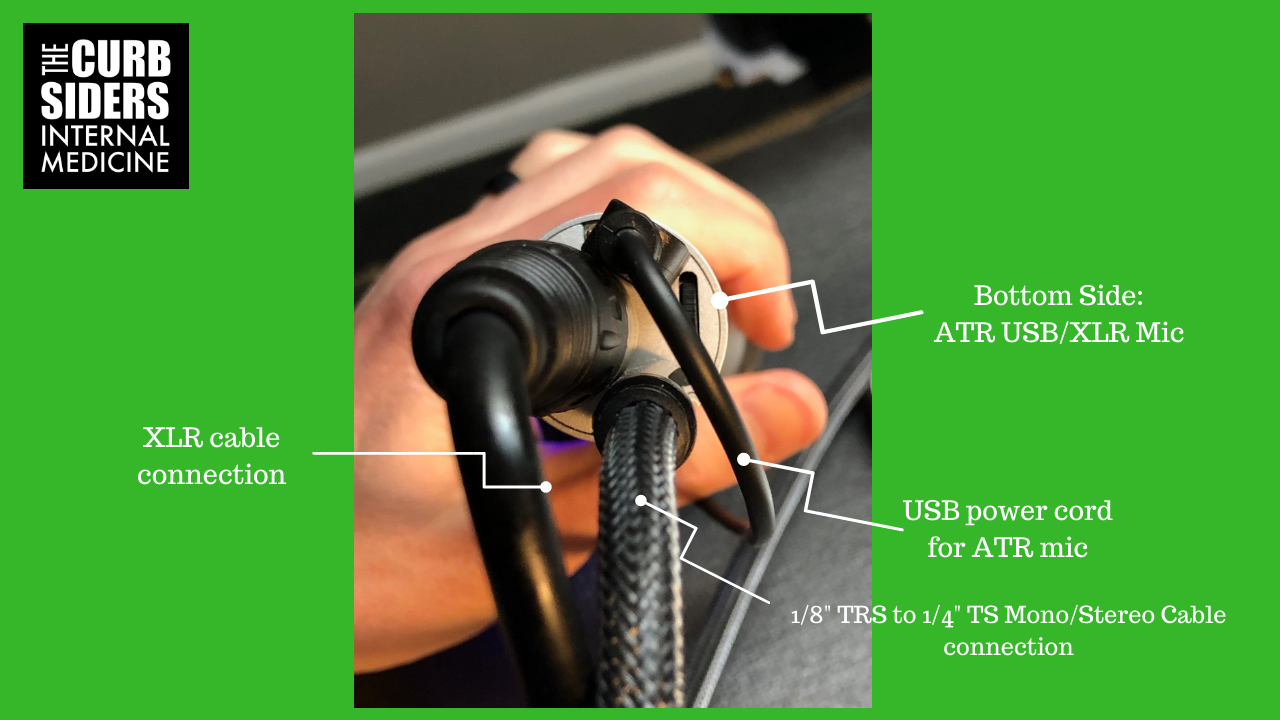
This setup is for one person recording with remote participants (see images below). Note: The XLR cable sends your local audio to the Zoom recorder. The 1/8” TRS to 1/4” TS cable (plugged into your computer’s headphone jack) sends the incoming audio (your guest’s or your remote cohost’s audio) directly into the Zoom recorder to be saved in perfect sync with your locally recorded ATR track!!! NOTE: You will also have a high quality “software backup” from the Ecamm call recorder or from the Zoom meeting software.
Kashlak Pearl: We highly recommend this setup because it creates a “software backup” (via Ecamm or Zoom meeting software) and a “hardware copy” (recorded directly into the Zoom H4 recorder). This redundancy saves us in case someone forgets to record themselves or if there is a hardware or software failure during the recording.
Pros: The Zoom recorder will create one track for me and one track for all remote participants. These two tracks are perfectly in sync. Kashlak Pearl: We also run the Zoom software during our interviews as a backup which records everyone on separate tracks and in sync.
Cons: This setup only works if you have a Zoom (or Tascam) recorder and an ATR Mic, which is unique for having both a USB and XLR connection.

Advanced Hardware Setup #2
Zoom H4 (or H6) and Shure SM58 Mics
This setup is for two people (four people if using H6) recording together in person +/- a remote participant(s) i.e. guests or cohosts joining via Skype.
Note: Each SHURE SM58 XLR mic sends it’s own audio to a .wav file in the Zoom recorder. The 1/8” TRS to 1/4” TS cable sends the incoming audio from a guest or remote cohost directly into the Zoom recorder to be saved in perfect sync with your locally recorded SHURE SM58 tracks!!!
Note: If there are no remote participants then there is no need for a laptop or the 1/8” TRS to 1/4” TS Cable!
IMPORTANT!!!: If using this Zoom H4 (or H6) setup for Skype or Zoom to connect to a remote participant, then they will only be able to hear one of your local mics. Therefore, set your Skype (or Zoom meeting) MICROPHONE selection to “Built-In” and your guest will hear everyone via the laptop’s built-in mic.

Advanced Hardware Setup #3
Scarlett 2i2 and Shure SM58 Mics
This setup is for one or two people recording together in person +/- a remote participant(s) i.e. guests or cohosts joining via Skype.

IMPORTANT!!!: If using this setup for Skype or Zoom to connect to a remote participant then they will only be able to hear one of your local mics. Therefore, set your Skype MICROPHONE selection to “Built-In” and your remote participant will hear both local parties via the laptop’s internal mic. NOTE: If you’re by yourself with a remote guest then they will hear your mic and there’s no need to change to “built-in”.
Pros: Your SHURE XLR mics can be recorded directly into Audacity or GarageBand (see tutorials below) in perfect sync.
Cons: Remote participants cannot hear both microphones and you’ll have to send the “built-in” laptop audio out to them. This means that the “software back” of both local parties will be of poor quality.

Recording setup
Below are a few potential setups. We have tried them all and currently utilize setup #1 for most episodes due to convenience and logistics (see diagram above).
Kashlak Pearl: We always ask all guests and cohosts to record themselves locally for redundancy in case of software or recorder failure. The local audio is often of better quality since the internet connection sometimes loses connectivity and causes some words to sound slow/robotic or to be dropped altogether.
Record setup #1 (RECOMMENDED):
Meet up via Zoom meetings (or Skype) and each participant records themself (i.e. Stuart, Paul, our guest, and I are each at our own houses and we each record ourselves locally). After the recording, all files are uploaded to a shared folder on Dropbox or Google Drive. Files are then imported into the editing software (e.g. Garageband or Audacity) for editing and mixing..
Pros: In the example provided, we end up with 4 separate audio tracks (Watto, Paul, Stuart, Guest) and can easily edit out unwanted comments or noises made while the guest is talking.
Cons: Many guests have trouble recording themselves (or successfully uploading their files). Each person’s audio track will start and end at different points in the conversation and must be synched. Otherwise, the timing of responses is way off. Workaround = Paul, Stuart, myself and the guest do a 5 second countdown at the start of each show and then CLAP in unison. All I have to do is find the countdown/clap on all four tracks and synching them becomes easy!
Kashlak Pearl: Use the master track from Zoom meeting software or Ecamm to line up everyone’s audio when editing. Alternatively, you can use the tracks from your Zoom H4 recorder to line things up
Record setup #2: 
Meet up and record in one location (e.g. Stuart, and Paul come to my house).
Pros: Record each mic on it’s own track directly into your recording software (e.g. Garageband Audacity) or into your Zoom H4 recorder. All tracks will be perfectly in sync. The Zoom H4 recorder can record 2-4 tracks and the Zoom H6 can record 4-6 tracks. NOTE: You will have to purchase an attachment for either recorder to gain the additional two tracks.
Cons:
- Everyone has to make it to one location!
- Your mic (and your voice track/audio file) will pick up echo from your cohosts voices, especially if you are not recording in a professional studio. You’ll have to test the positioning and sounds settings for each mic to minimize this problem. It just takes trial and error.
- NOTE: If you also plan to have a remote guest via Zoom, then they will not be able to hear everyone’s mic. Thus, you will have to set the MICROPHONE to “Built-In” within the Zoom software. This means that your audio track recorded by the Zoom meeting software will be of poor quality so you’re backup track will sound bad.
How to record via Zoom, Skype
Zoom (RECOMMENDED)
Meet up via Zoom and utilize the built-in recording feature. Go to File > Preferences > Recording and check the box “Record a separate audio file for each participant” (see image below). During the recording click record and choose “Record to on this computer” (see image below). This will save video, a master audio track and separate audio files for all participants to your harddrive (It costs about $40 per month to purchase 100GB in Zoom’s cloud storage).
NOTE: The Zoom meeting audio files are small and a bit lower quality than a locally recorded .wav or .aiff file, but they provide great backup tracks.
NOTE: Zoom is free for 40 minute meetings. If recording longer than you will need to purchase a Pro account or higher (~$150/year for Pro account; FREE for basic account).


Skype (with Ecamm)
Meet up via Skype) and one person records everyone via Ecamm Call Recorder (~$40; Mac users only), or Pamela (use to be available to Windows users, but is no longer supported).
NOTE: Ecamm Call Recorder records everyone to one track. Later, you have the option to split the recording into the outgoing track (i.e. my voice as heard by my cohosts and guests), and incoming track (i.e. my cohosts and the guest’s voice as heard by me).
Pros: With Ecamm all parties are recorded to a single track that is perfectly in sync. This can be edited directly and posted.
Cons: Ecamm offers less flexibility compared to recording all parties on their own separate tracks as offered via Zoom software (or when each participant records themself locally).
Teach your guests to record themselves
Quicktime (Mac or Windows)
- Launch Quicktime and go to File > New Audio Recording

- Click on the RECORD button

- Click STOP when finished recording
- Go to File > Save

- Rename the file and choose a location to save it

Voice Recorder (Windows 10)
- Open Start.
- Search for Video Recorder, and click the top result to open the app.
- Click the Record button.
- Click the Stop button to terminate the voice recording session.
- After completing these steps, the audio file will save automatically using a .m4a file format in the “Sound recordings” folder, inside your “Documents” folder.

Check out this tutorial for more details.
Part 7: Editing your podcast
- The Curbsiders’ YouTube videos for (click to watch on YouTube):
- How to record and edit in GarageBand
- How to record yourself in Audacity
- Other videos on editing with GarageBand and Audacity
- Pat Flynn on how to edit with GarageBand
- Andrew Mercer on how to edit with Audacity.
- Edit your tracks using The Curbsiders Tutorial on using GarageBand
- Add music files (GarageBand has free stock audio files). Note: You cannot add your favorite Drake song to the podcast without a proper license!
- GarageBand or Audacity will allow you to individually edit and then mix each individual’s audio tracks, plus add music files. The final step is to then “Bounce” them as a unified audio track.
- “Bounce” file as an MP3 (in Audacity you will choose “Export” instead of “Bounce”).
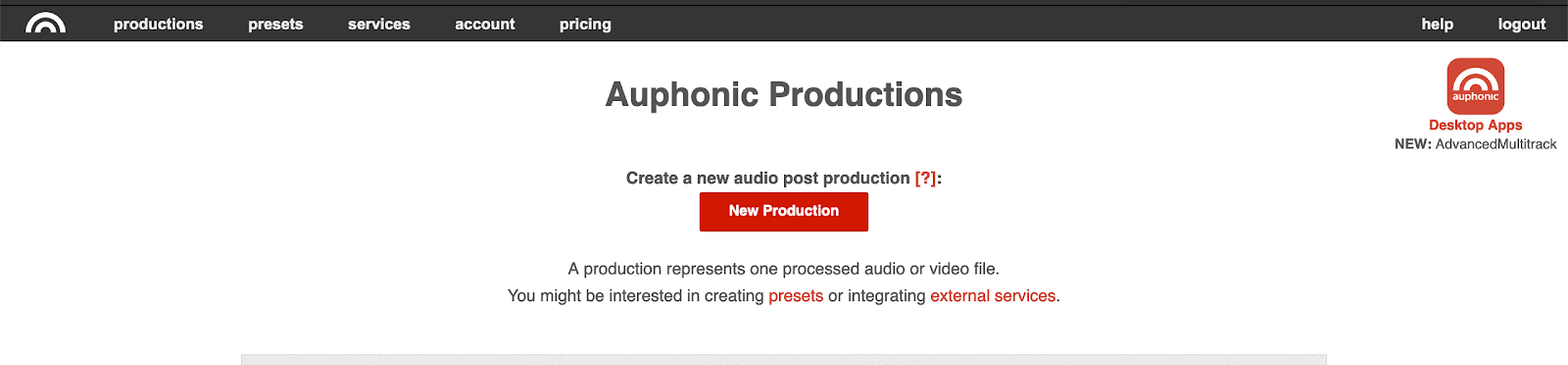
- RECOMMENDED: Upload fully edited MP3, AIFF, or WAV files to Auphonic.com for audio processing. Auphonic levels out the sound and makes sure that all speakers are heard at the same volume (e.g. Paul, Stuart, and I record ourselves with different mics and settings so my mic might sound loudest. Auphonic makes them all equally loud). This software is free for 2 hours of audio processing per month, or $89 for a desktop version of their multi-track software, which lets you upload and process multiple tracks at the same time. It’s worth purchasing as it save a ton of upload and processing time.
Part 8: Uploading your file to your media host
- Upload your MP3 (or M4A) file to your media host (e.g. Libsyn)
- Create an episode title.
- Pick a naming convention and be consistent e.g. #00: Meet The Curbsiders; #1: Male Hypogonadism; #2: SPRINT Trial, Hypertension
- Create an episode subtitle.
- This should be the same for every episode e.g. Doctors Matthew Watto, Stuart Brigham, and Paul Williams
- Write a 2-3 sentence show summary e.g. On this episode nephrologist, Dr. Joel Topf aka @kidney_boy schools us on the use of diuretics, interesting uses for pickle juice, and how to use Twitter.
- Upload episode artwork
- Apple Podcasts recommends 3000×3000 pixel logo
- We create cover art for every show using Canva.com
- Schedule release date and time e.g. Monday at 0300 EST
Kashlak Pearl: Be consistent with your release date e.g. every Monday or every other Monday, etc.
Kashlak Pearl: Email friends and family and ask them to subscribe, rate and review the show. This will boost your ratings and help people find your show in the search.
Part 9: What is SEO (Search Engine Optimization) and why should you care?
- SEO is how people find your site and your content using search engines. Full definition in box below.

- Your content must be “tagged”, “titled”, and “labeled” with keywords and phrases that help search engines find your content. Each episode should have a concise summary with keywords and phrases to boost SEO.
- YOAST is a WordPress plugin that critiques the SEO for each post and makes suggestions for improvement in SEO and READABILITY.
BONUS Pearls
Below are a few additional KASHLAK PEARLS for those looking to start a podcast and grow an audience/community.
- Start a mailing list with MailChimp (or equivalent service) the SAME DAY you launch. True fans will sign-up and want to hear from you.
- Make an episode #00 introducing your show, its mission, and its target audience.
- Release episodes 1-3 on the same date, then start releasing regular episodes on a set schedule (e.g. every Monday, or every other Monday)
- Tighten up your social media: Have public, professional profiles on Facebook, Instagram, Twitter, LinkedIn by the time you launch. It’s harder to book guests if no one can find you in a Google Search.
Resources that we have found helpful
Here are some resources that leaned on heavily when starting my podcast.
- Step by step podcasting tutorial by Pat Flynn of The Smart Passive Income Podcast
- Free Podcast Course by John Lee Dumas of EOFIRE Podcast
- Recording Skype with No Mixer or Software
- Podcast Workflow from EOFIRE Podcast
- Podcasting Tips for Better Audio Quality 10 tips to improve the sound of your podcasts right at home! by izotope
Disclosures
The Curbsiders participates in the Amazon Services LLC Associates Program, an affiliate advertising program designed to provide a means for sites to earn advertising commissions by linking to Amazon. Simply put, if you click on our Amazon.com links and buy something we earn a (very) small commission, yet you don’t pay any extra.
Goals
Listeners will develop a framework for how to create a medical podcast from the original idea to software, equipment, recording and a bit about editing.
Learning objectives
After listening to this episode listeners will…
- Define your podcast’s content, and who it’s for
- Conceptualize the logistics of recording a podcast
- Recall the necessary equipment and software for a medical podcast
- BRIEFLY discuss podcast editing
- Talk about how to disseminate a medical podcast (website, media host)
- Review the potential pitfalls and nuances, like intellectual property considerations, SEO, branding, etc.
Citation
Watto MF, Williams PN. “#207 How to create a medical podcast: Tales from The Curbside”. The Curbsiders Internal Medicine Podcast http://thecurbsiders.com/episode-list. Air date April 16, 2020.
CME Partner

The Curbsiders are partnering with VCU Health Continuing Education to offer continuing education credits for physicians and other healthcare professionals. Visit curbsiders.vcuhealth.org and search for this episode to claim credit.
Contact Us
Got feedback? Suggest a Curbsiders topic. Recommend a guest. Tell us what you think.
We love hearing from you.
Join our Patreon!

Yes, you can now join our exclusive community of core faculty at Kashlak Memorial Hospital along with all the perks:
- Bundle & Save with the top CME tier!
- All episodes Ad-Free, including the entire back catalog!
- Twice-monthly bonus episodes: Ask me Anything (AMA) with Matt & Paul, Recaps, and more!
- Access to Kashlak's Discord Server!
- Advance Notice of Curbsiders Events!
- Exclusive Curbsiders' Merch!

Comments
Just wow!
I know a lot of work went in to creating this detailed list and i thank u for your efforts, but i find it a little disappointing you didnt address specifics to medical podcasting over starting a podcast for any topic. (Like disclaimers for medical advice, or how to attract viewers in such a specific niche, topic development, etc)- maybe next time?